Temperature & fans
See how hot your Mac is running and how hard the fans are working.
Open source · macOS menu bar app
Your Mac's pulse in the menu bar: temperature, CPU, memory and power draw, plus a guard for your Claude Code sessions.
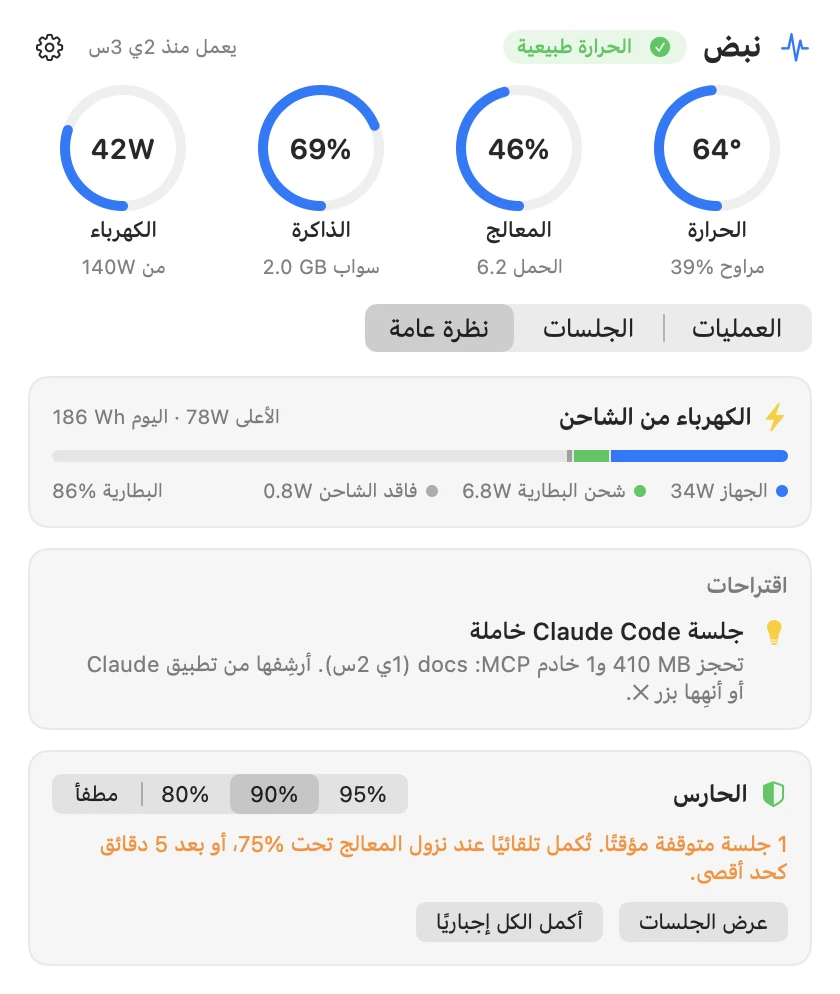
Readouts
Everything sits in the menu bar. Open it from there, or in its own window.
See how hot your Mac is running and how hard the fans are working.
Live CPU and memory use, and a list of the processes using them.
Watts from the wall, split into the Mac itself, battery charging and charger loss.
Each session's CPU, memory, MCP servers and heaviest process. Idle sessions are flagged.
Pauses the heaviest Claude Code session when the CPU stays at your limit, then continues it.
Built in Arabic. Use it from the menu bar, in a window, or as a command-line tool.
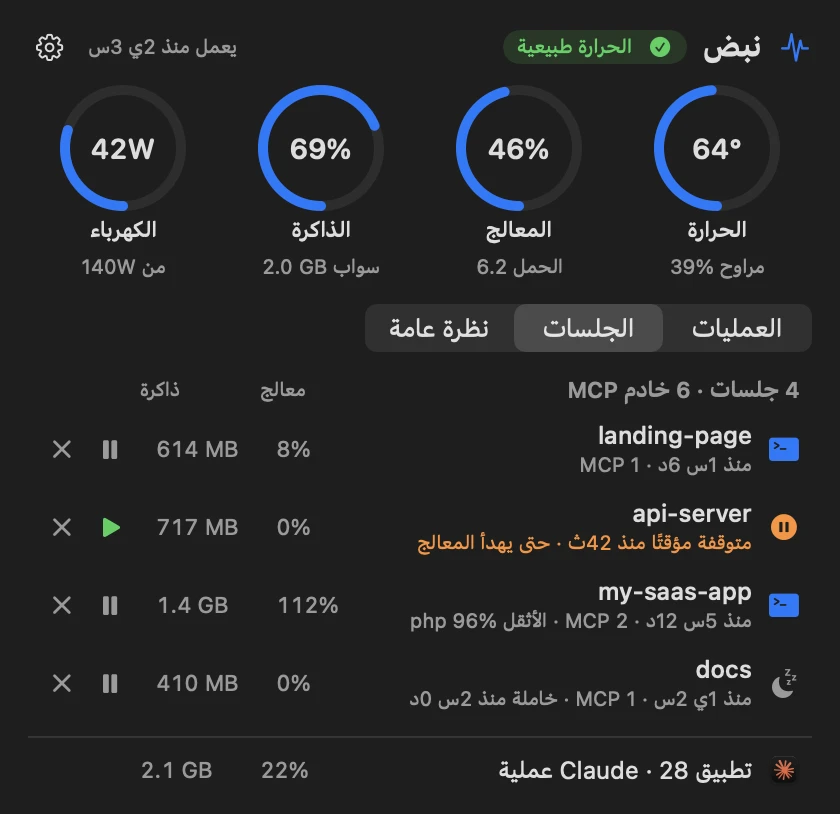
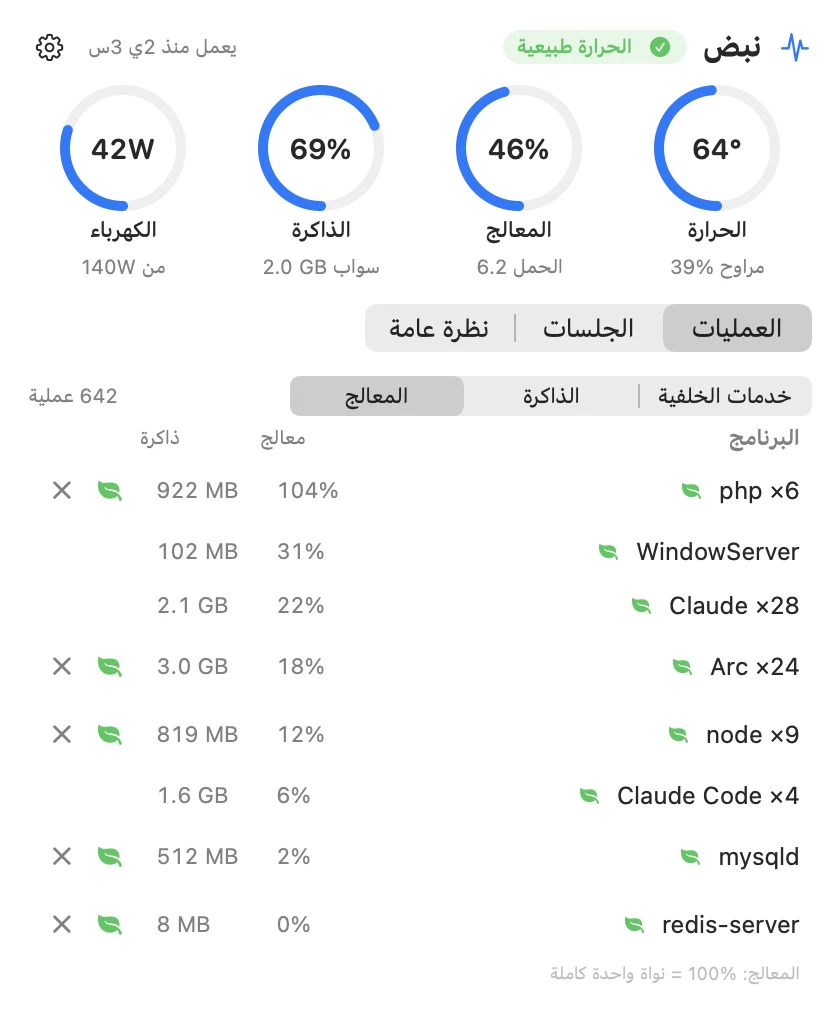
The guard
It steps in only when the CPU stays high, and steps back on its own.

Install
Nabd is free and isn't notarized by Apple, so macOS asks you to confirm before it runs. The source code is public on GitHub if you want to read it or build it yourself.
xattr -dr com.apple.quarantine /Applications/Nabd.appRequirements & license